For artistsBio Links
Your whole world. One bio link.
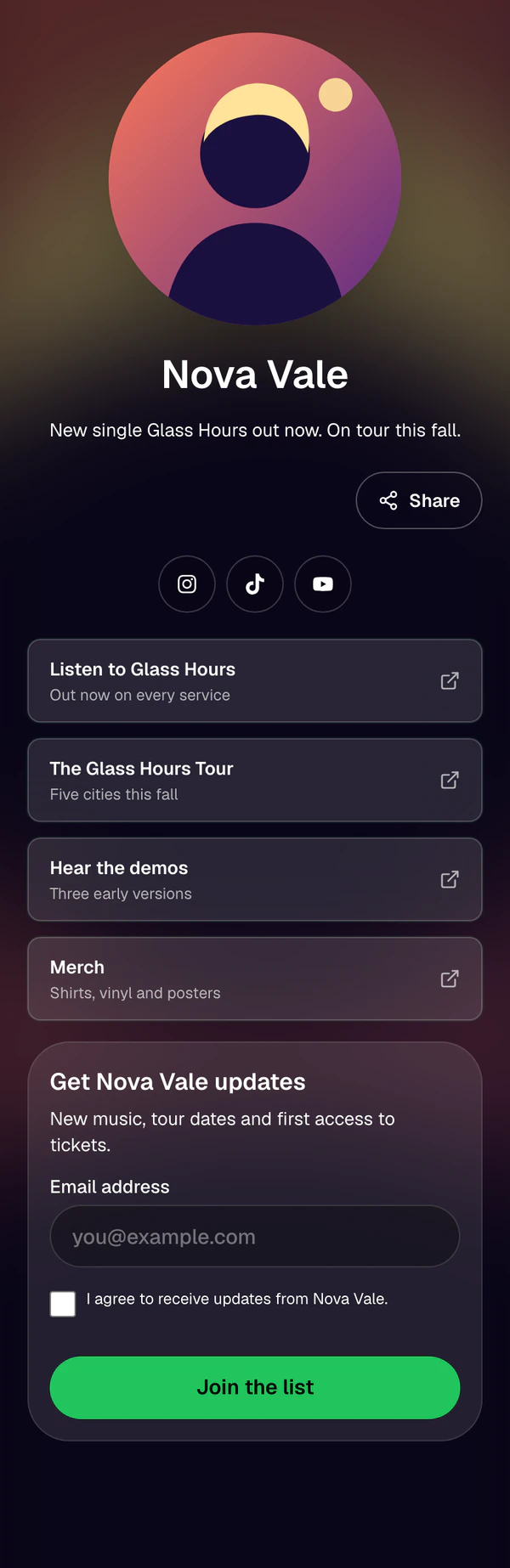
Put everything fans look for on one page: the new release, the tour, merch, your socials, and a signup form for people who want to hear what's next.
What you get
Everything in the box.
- 01
Paste a link, done
Add any link by pasting its URL. Social profiles pick up their platform icon on their own.
- 02
Bring your stack
Pull in the Smart Links, Tour Links, and Fan Gates you already made in the same project.
- 03
Pin and schedule
Pin the link that matters this week, reorder the rest, and set links to show only for a window you choose.
- 04
Collect fan signups
Add a signup form with a consent checkbox. New fans land in your contacts.
- 05
Your look
Add an image and a short bio, then start from a preset and set the colors, background, and button style. Fans get a Share button to pass it on.
- 06
See what gets tapped
Track page views, clicks, and signups. See clicks for every link, plus views and clicks by country and referrer.
How it works
Four steps.
No spreadsheets.
- 1
Name the page and add an image and a short bio.
- 2
Paste your links or pull in your Smart Links, Tour Links, and Fan Gates.
- 3
Turn on signups and pick a look.
- 4
Put the link in your bio and watch the clicks.